Why Are Radio Button Variations Easier for Shoppers Than Dropdowns in WooCommerce?
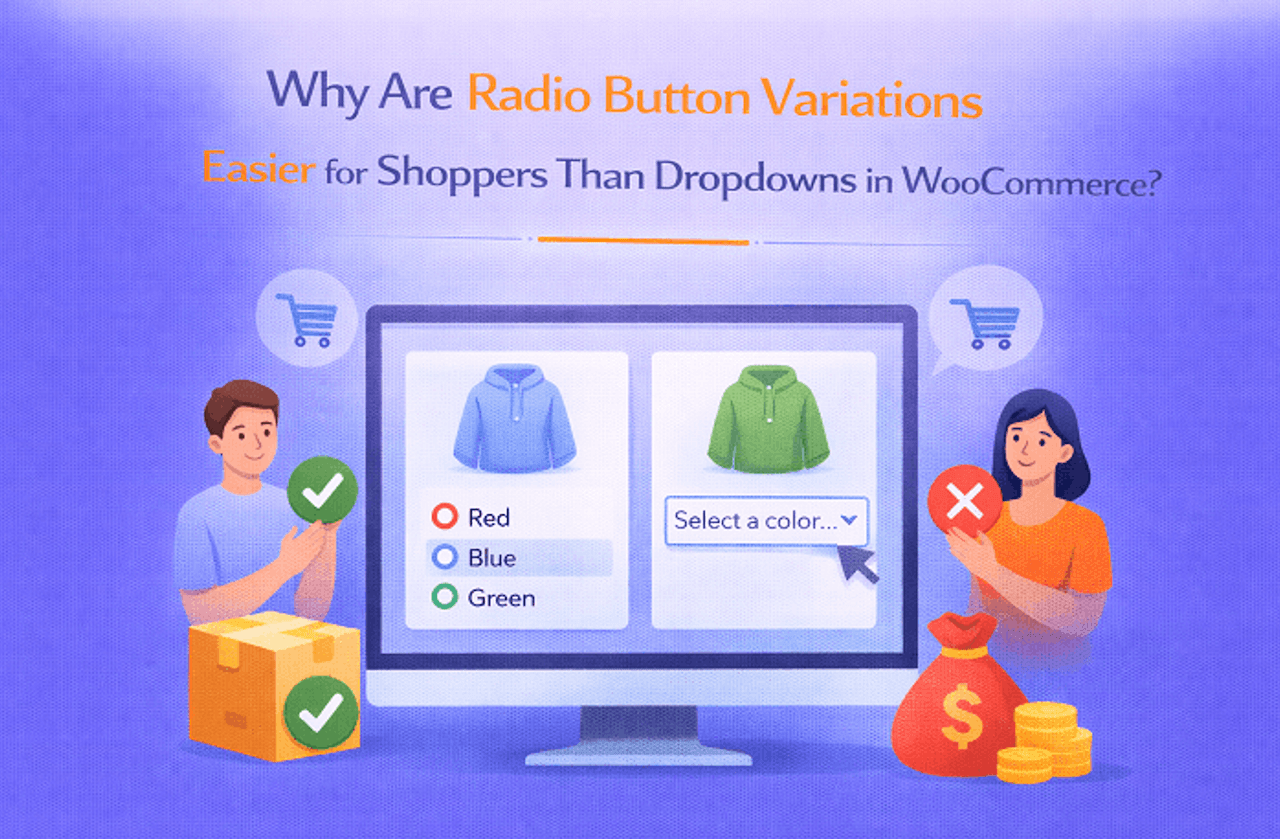
When WooCommerce first introduced variable products, the default way for customers to choose options like size, color, or material was through dropdown menus. Dropdowns served a clear purpose; they kept the product page tidy, allowed multiple options without overwhelming the layout, and ensured shoppers could select their desired variation without visual clutter.
For early e-commerce stores, especially those with just a few options, dropdowns worked perfectly, offering a simple method for handling variable products.
The Early Days: Dropdowns in WooCommerce
When WooCommerce first rolled out variable products, dropdown menus were the default way for customers to pick options like size, color, or material. Dropdowns had a clear purpose:
- Keep product pages neat and tidy
- Handle multiple variations without cluttering the layout
- Let customers select options without being overwhelmed
For stores just starting out or with limited product options, dropdowns worked just fine. They offered a simple, straightforward way to manage variable products, especially when shoppers only had a few choices to consider.
The Limitations of Dropdowns
As e-commerce evolved, stores started offering more variations per product, and the weaknesses of dropdowns became obvious.
- Shoppers often had to click through multiple menus to find the right combination
- Visual cues for color, pattern, or size were missing, making selections confusing
- Static dropdowns increased the chances of mistakes or abandoned carts
Some plugins tried to improve the dropdown experience by adding color or image swatches, but they didn’t fully solve the problem. Customers still couldn’t see all options at a glance, slowing down the buying process and leaving room for errors.
Introduction of Variation Swatches as Radio Buttons
This is where the Variations as Radio Buttons plugin changed everything for WooCommerce variation swatches. Unlike dropdowns, radio buttons:
- Show all available options at once
- Provide visual representations, colors, images, or text labels
- Allow shoppers to make decisions faster with fewer clicks
For stores with apparel, accessories, or visually distinct products, this format is almost indispensable. Customers can immediately see what’s available, which options are out of stock, and exactly how each variation looks.
Why Radio Buttons Clicked Better for Shoppers
Radio button swatches improve the shopping experience in several ways:
- Instant clarity: No guessing or clicking multiple menus
- Better decision-making: Customers see all variations, including unavailable ones
- Reduced mistakes: Orders are more accurate since shoppers know what they’re selecting
- Encourages exploration: Visible options make it easier to notice complementary variations, increasing average order value
By moving from dropdowns to visual swatches, your store not only looks modern and intuitive but also builds confidence for shoppers before they hit “Add to Cart.”
Top Features of Radio Button Variation Swatches
- Display product variations as radio buttons instead of dropdowns for instant selection
- Show visual cues like color, image, or text for each variation
- Highlight out-of-stock options for better clarity
- Customize swatch sizes, layouts, and styles to match your store’s design
- Include tooltips or quick descriptions for each variation
- Enable automatic price updates as variations are selected
Benefits for Store Owners
- Reduced Cart Errors: Visual swatches make it clear which option is being selected.
- Faster Purchases: Customers can quickly pick options without navigating multiple dropdowns.
- Increased Conversions: Easier selection reduces friction, keeping shoppers engaged.
- Better Aesthetics: Stores appear modern, clean, and interactive.
- Improved Customer Experience: Customers feel confident and informed with every selection.
- Flexibility for All Products: Works for clothing, accessories, electronics, and any variable product.
Top Plugins for Variations as Radio Buttons
1. Variations as Radio Buttons for WooCommerce by Extendons
Extendons’ plugin turns the standard dropdown into a visually engaging radio button swatch selection. Customers can instantly see all options, including colors, patterns, and images, without extra clicks. It supports out-of-stock indicators, dynamic pricing updates, and mobile-friendly designs, making it a robust solution for any WooCommerce store.
Features:
- Convert dropdowns into color, image, or text radio buttons
- Show out-of-stock variations clearly
- Support for simple and variable products
- Quick price updates based on selection
- Mobile-responsive design
- Tooltip descriptions for each option
2. Variation Swatches for WooCommerce – Emran Ahmed
This plugin replaces dropdowns with intuitive swatches for all variations. It emphasizes easy selection for shoppers while giving store owners flexibility over style, layout, and design. Its drag-and-drop configuration makes setting up swatches straightforward and customizable.
Features:
- Color, image, and label swatches
- Supports all product variations
- Customizable swatch size and shape
- Hover tooltips with variation info
- Grid or inline layout options
3. WooCommerce Variation Swatches – RadiusTheme
RadiusTheme’s solution offers visual swatches for any variable product. Shoppers can select options quickly, and the plugin highlights unavailable variations to prevent mistakes. It’s particularly useful for fashion stores or shops with complex variations.
Features:
- Visual swatches for colors, images, and labels
- Out-of-stock variation handling
- Tooltip display for additional info
- Responsive design for mobile and desktop
- Easy integration with existing WooCommerce themes
4. Variation Swatches for WooCommerce – IconicWP
IconicWP offers a premium option with advanced styling and layout choices. It allows both color and image swatches, dynamic pricing updates, and easy customization, helping stores improve the product selection experience for shoppers.
Features:
- Fully customizable color and image swatches
- Show/hide unavailable variations
- Dynamic price display for selected options
- Tooltip support and quick descriptions
- Integration with variable products and attributes
Conclusion
Shifting from dropdowns to radio button variation swatches for WooCommerce isn’t just a small design tweak; it’s a real difference in how customers interact with your store. Radio buttons reduce clicks, display all available options instantly, and prevent mistakes that often come from ambiguous dropdowns.
For clothing stores and other shops with visually distinct variations, this plugin improves both the user experience and the efficiency of your sales process. By using plugins like Extendons’ Variations as Radio Buttons, your store doesn’t just look modern, it feels smarter, helping shoppers make confident choices while boosting conversions and minimizing errors.
About The Author