Assign User Roles Automatically Based on Registration Form
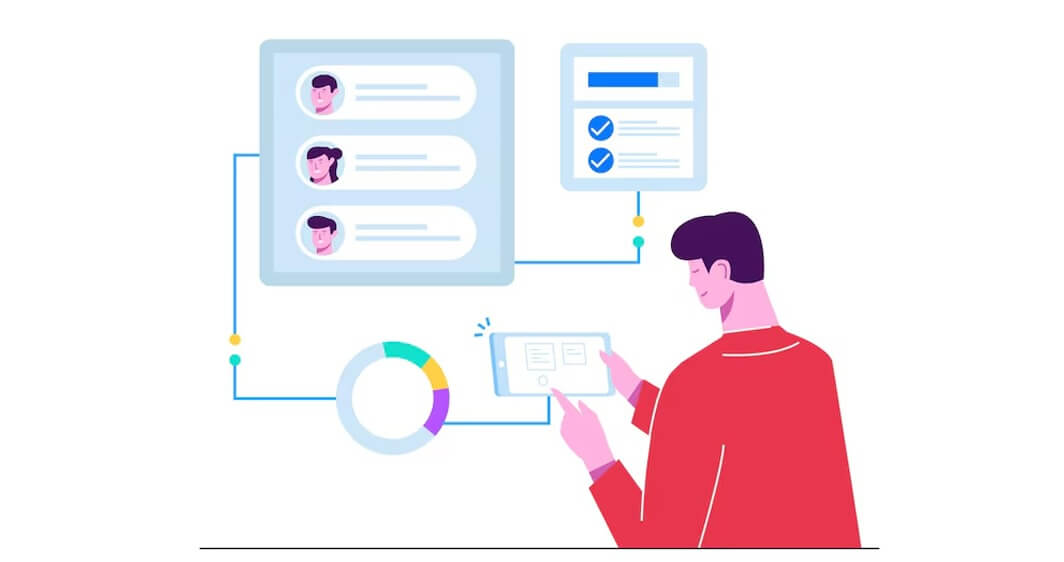
Why should every user be treated the same? Why do so many WooCommerce stores still treat every new user the same?
It’s a genuine question. A wholesaler walks in. A casual shopper follows. Then maybe a vendor or distributor shows up, too. Different intentions. Different expectations. Same registration form. Same user role. That never made much sense.
Modern eCommerce is layered. Complex. Human. People don’t all want the same thing, and they definitely don’t behave the same way. Yet many stores still rely on flat registration systems that ignore context entirely.
Automatically assigning user roles based on the registration form changes that story. It allows stores to respond instantly to who the user is and what they need. Not later. Not manually. Right at the start. And that one shift? It changes everything.
Understanding User Roles in WooCommerce
WooCommerce runs on WordPress. And WordPress is built around roles. Each role defines power. Access. Limits.
- A customer can buy.
- A subscriber can mostly watch.
- An administrator can break things if they’re careless.
WooCommerce adds its own flavor to this system, but the core idea stays the same. Roles control what users see, what they can do, and what remains hidden. Over time, store owners realized default roles weren’t enough.
They needed wholesalers, retail partners, vendors, and dealers. Sometimes roles are so specific that they barely make sense outside that business. That’s where custom roles came in. Powerful, flexible, and dangerous if misused.
Problem with Manual Role Assignment
Manual role assignment sounds fine when you have ten users. Then you hit a hundred. Then a thousand. Suddenly, approving accounts feels like unpaid overtime. Admins log in every morning to a list of pending users. Some are real. Some are spam. Some chose the wrong role. Some forgot why they even signed up.
Mistakes happen. Roles get mis-assigned. Users complain. Access is delayed. Support tickets pile up. And users? They don’t like waiting. They expect instant access. Immediate feedback. If they don’t get it, they leave quietly. No warning. No second chance. Manual systems don’t scale. They stretch. And then snap.
What Does Automatic User Role Assignment Mean?
Automatic role assignment is simple in theory. The system decides the role, not the admin. During registration, users provide information. Sometimes they choose a role. Sometimes they qualify for one. Sometimes they trigger conditions without realizing it. The system reads that input. Applies rules. Assigns the role. No waiting. No back-and-forth. No guesswork. It’s quiet automation—the best kind.
How Registration Forms Enable Role Assignment
The registration form is where the story begins. Not after login. Not in the dashboard. Right there, at the door.
- A dropdown asking who you are.
- A checkbox saying you’re buying in bulk.
- A company field that quietly changes everything.
Small inputs. Big consequences. When registration forms are designed intentionally, they become decision engines. They don’t just collect data. They interpret it. That’s where logic lives.
Automatic vs Manual Approval: Finding the Right Balance
Automation doesn’t mean blind trust. Some roles should be granted instantly. Others shouldn’t.
- A regular customer? Sure.
- A newsletter subscriber? Absolutely.
- A wholesaler asking for discounted pricing? Maybe not so fast.
Smart systems blend automation with control. Users get assigned roles automatically, but access can still be gated. Pending status exists for a reason. Approval flows still matter. It’s not about giving up control. It’s about choosing when to intervene.
Benefits of Assigning User Roles Automatically
1. Faster Onboarding
Speed matters a lot. When users register and immediately land in the right place, it feels good. Natural. Smooth. Like the system understands them. Waiting kills momentum. Automation keeps it alive.
2. Reduced Admin Workload
Admins didn’t sign up to approve accounts all day. Automation removes repetition. It clears mental space. It lets teams focus on strategy instead of babysitting user lists. Less clicking. Less reviewing. Less stress.
3. Personalized User Experience
Roles unlock experiences. Wholesale pricing appears only for wholesalers. Vendor dashboards stay hidden until needed. Customers don’t see tools meant for partners. Everything feels intentional. Clean. Purpose-built. And users notice that even if they can’t explain why.
4. Better Security and Access Control
Automation doesn’t weaken security. It strengthens it. Users only get what they’re meant to see. Nothing more. Nothing less. Mistakes shrink. Access leaks disappear. Sensitive data stays protected.
5. Improved Conversion Rates
Friction is the enemy of conversion—shorter forms. Clear paths. Immediate access. When users don’t have to fight the system, they engage with it.
Role-Based Registration for B2B and Wholesale Stores
B2B stores live and die by roles. Retail customers don’t need bulk pricing. Wholesalers do. Vendors need dashboards. Customers don’t. Imagine a wholesaler signing up and seeing retail prices. They leave. Quickly. Automatic role assignment fixes that. The moment a business user registers, the system already knows what to show. Or hide. Or delay. That’s not magic. That’s planning.
Using Conditional Fields to Improve Accuracy
Not every user needs to see every field. In fact, most don’t. Conditional logic keeps forms short and relevant. Business fields appear only when needed. Tax IDs don’t confuse casual buyers. Extra steps stay hidden unless required. Less noise. More clarity. And fewer abandoned forms.
Managing Role-Based Email Notifications
Silence creates confusion. Users want to know what’s happening. Especially when approval is involved. Emails fill the gaps.
“You’ve registered.”
“Your account is pending.”
“You’re approved. Welcome.”
Different roles. Different messages. Same clarity. Communication doesn’t need to be fancy. It just needs to be timely.
Compatibility with WooCommerce Extensions
Roles don’t live alone. They interact with pricing plugins. Membership systems. Vendor tools. Tax engines. Once a role is assigned, the ecosystem responds. Automatically. That’s why a well-built WooCommerce Registration Plugin matters. It becomes the hinge between user intent and system behavior. Everything else swings on that hinge.
Best Practices for Automatic Role Assignment
Clarity beats complexity. Limit role choices. Explain them clearly. Don’t assume users understand internal labels. Use automation wisely. Review sensitive roles. Log changes. Test everything. And always think like a user first.
Future of Role-Based Registration in WooCommerce
Registration is evolving. Static forms are fading. Dynamic, responsive systems are taking over. Behavior-based roles. AI-assisted decisions. Automated upgrades. Stores that adapt early won’t just run smoother. They’ll feel smarter. And users will trust them more.
Conclusion
Registration is more than a form. It’s a first impression. When roles are assigned automatically and intelligently, users feel understood. Admins feel relieved. Systems feel aligned. It’s quieter. Faster. Better. Not flashy. Just effective. And in eCommerce, that’s what actually wins.
About The Author